Beta

Comparison

Kinomo vs Screen Studio

Screen Studio is for showing your real app: record the screen and it adds zooms, motion and framing for you. Kinomo is for product videos you would rather build than record: your AI agent recreates the interface as animated HTML scenes that you can change at any time.

Download for Mac

0.6.0-beta.7 · 14 MB · macOS 14 or later · Apple silicon

Facts about Screen Studio last checked on November 8, 2026 · Sources

Why choose Kinomo over Screen Studio

Both are Mac apps for product videos. Screen Studio polishes a recording; Kinomo builds the video from scenes your agent writes.

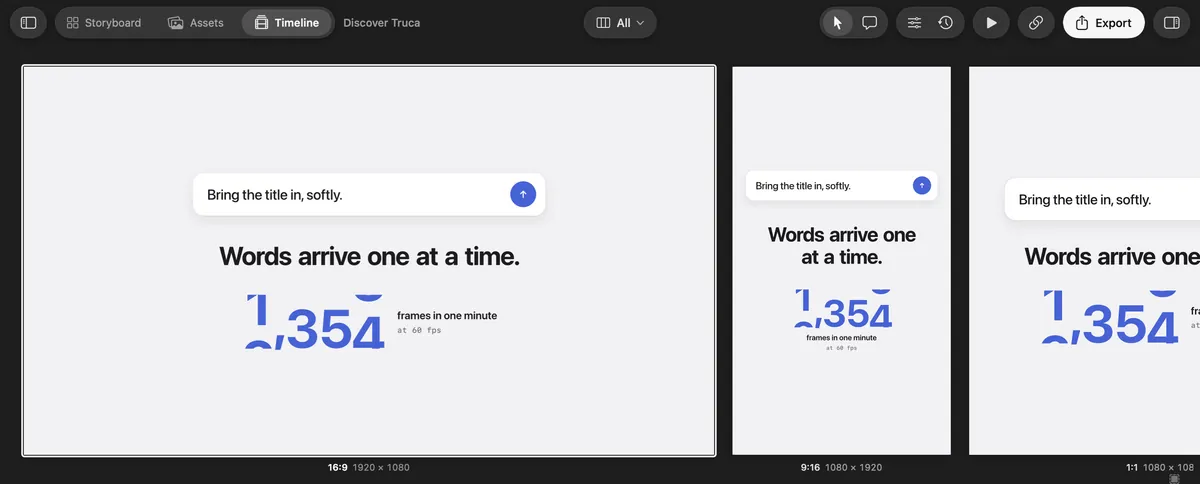
Kinomo’s All formats view: the 16:9, 9:16 and 1:1 versions of a scene side by side

Vertical, square and wide, side by side

Screen Studio switches a recording between 16:9, 1:1 and 9:16, one format at a time. Kinomo shows every format of a scene side by side, each laid out for its shape and at its own resolution, playing together while you edit. Export up to 4K in H.264, HEVC or ProRes.

Kinomo’s Connect an agent screen: Claude Code is connected

No take to redo

Your agent builds each scene in HTML and CSS over MCP. When the copy, a price or a button changes, ask for the edit instead of recording the whole walkthrough again.

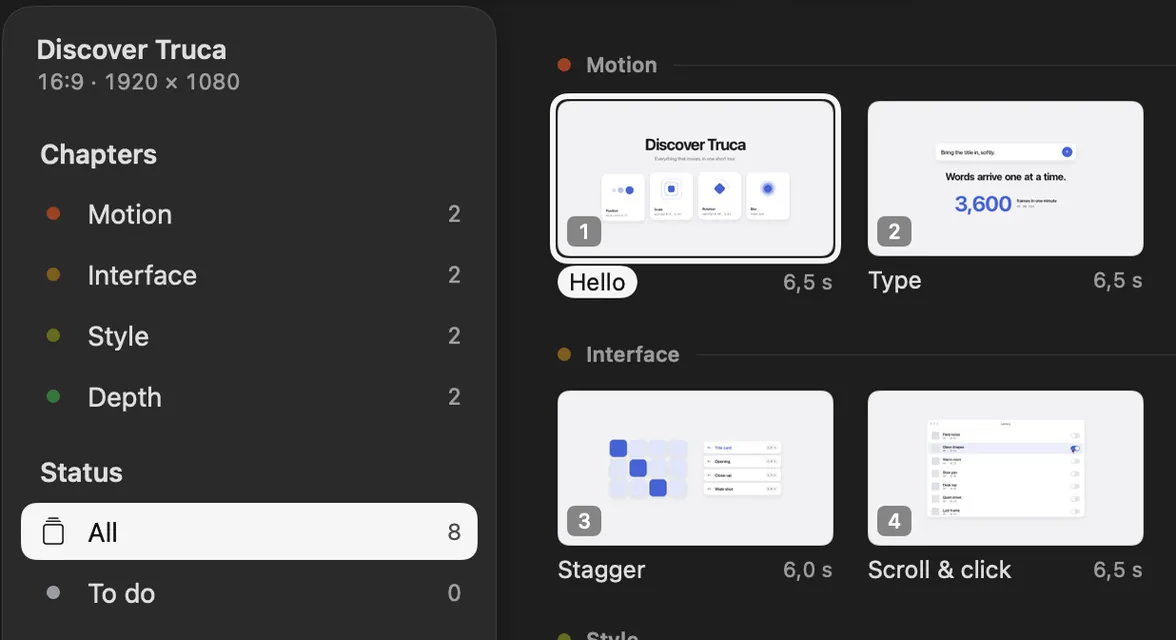
The Kinomo Storyboard, with scenes grouped by chapter

Crafted scenes, not a capture

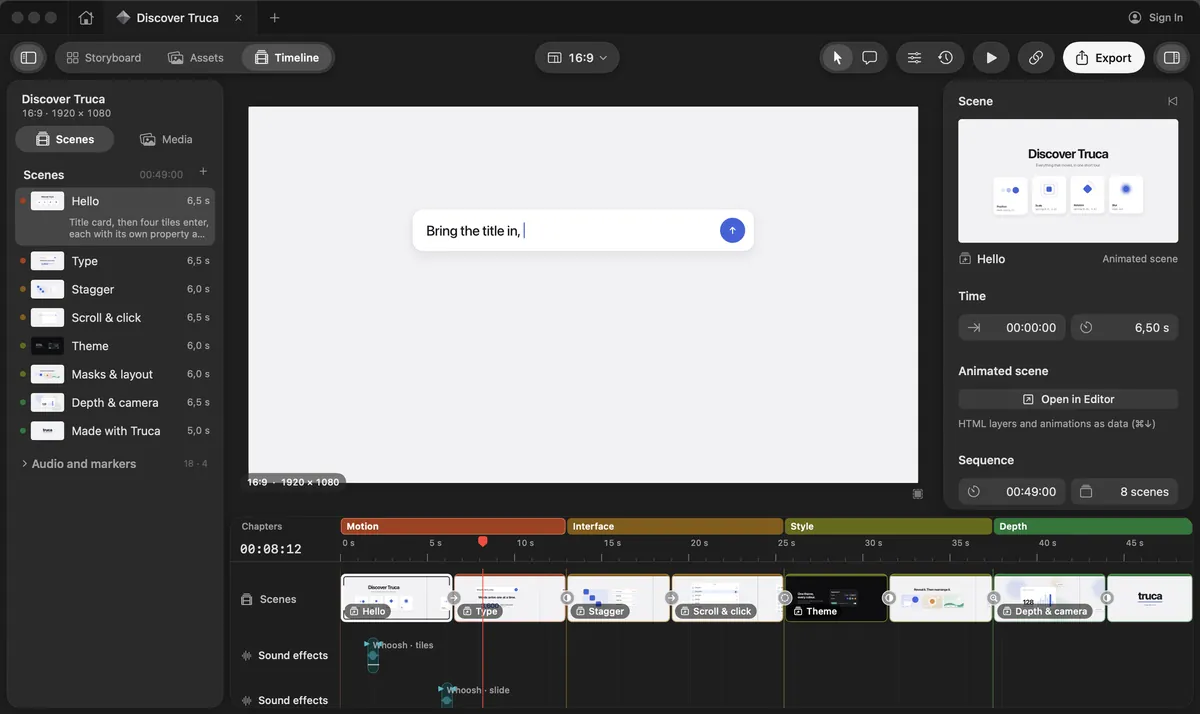
Cards, cursors, text and transitions are layers with animations you can retime by hand. Plan the story in the Storyboard, then add chapters, music and sound effects on the timeline.

Comments pinned to the exact spot

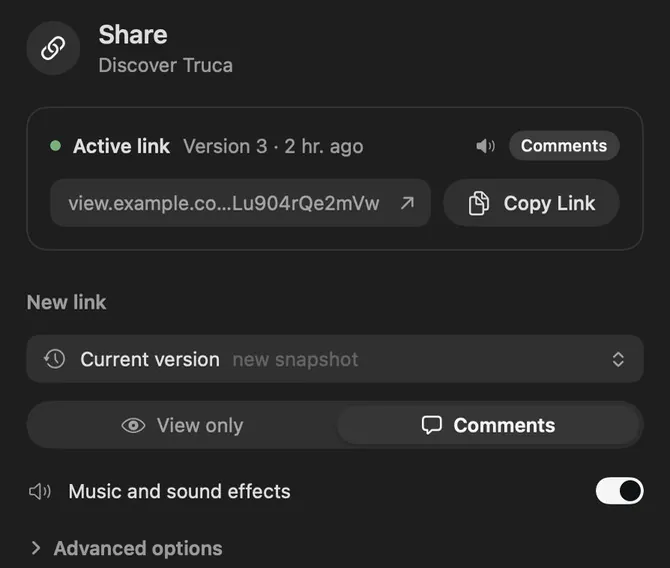
Clients comment on a point in the frame, not just a moment in time. Comments come back into the project, and your agent can read them, see the frame and fix it.

Kinomo and Screen Studio, side by side

Where Kinomo stands out

Kinomo and Screen Studio compared
CriterionKinomoScreen Studio
Formats while you editKinomo stands out: Every format of a scene side by side (16:9, 9:16, 1:1, 4:5…), each at its own resolution, playing together on one timeline; edit them all at once or one at a timeOne recording switches between 16:9, 1:1 and 9:16, one format at a time
PlatformMac app, macOS 14 or later, Apple siliconMac app only, version 4.1 since October 21, 2026; macOS Ventura 13.1 or later recommended
How a video is madeKinomo stands out: Your AI agent builds animated HTML scenes over MCP; no recording neededRecord your screen; zooms, cursor motion and framing are added automatically
Changing a video laterKinomo stands out: Ask the agent, or edit the scene: text, layout and timing stay editableEdit the recording on the timeline; new content needs a new recording
Review linksPrivate links with password and expiry; comments pinned on the frame return to the projectPrivate share links in 1080p60 for videos up to 30 minutes; viewers comment on the exact second
ExportUp to 4K in H.264, HEVC or ProResMP4 in 720p, 1080p or 4K at up to 60 fps, ProRes since version 4.1, and GIFs up to 1080p
PriceKinomo stands out: Free during the beta$9 a month billed yearly, or $29 month to month; every feature in every plan

When Screen Studio is the better fit

Sometimes a real recording is exactly what you need. Screen Studio is the better pick here.

  • You want to show the real thing. A recording proves the product works as shown, with no rebuilding.

  • You need it in the next ten minutes. Record, let the automatic zooms do the work, and share.

  • You talk to camera. Webcam, voice, transcription and noise reduction are built for narrated walkthroughs.

  • Your videos are long tutorials. Its share links handle videos up to 30 minutes.

Build the demo instead of recording it. Try Kinomo.

Download the beta, connect your agent and ask it to turn your product into a first storyboard.

Download for Mac

0.6.0-beta.7 · 14 MB · macOS 14 or later · Apple silicon

The Kinomo timeline, with the sample project Discover Kinomo

Questions

Is Kinomo a Screen Studio alternative?

For animated product videos, yes, with a different approach: instead of recording your screen, your AI agent builds the scenes, which you can keep editing. You can also use both: a Screen Studio export can go into a Kinomo project as a video asset.

Can Kinomo record my screen?

No. Kinomo builds scenes from HTML and CSS. You can bring images and videos into a project as assets.

Do both run on Mac?

Yes. Screen Studio is a Mac app, and Kinomo is a native Mac app for macOS 14 or later on Apple silicon.

How much does Kinomo cost?

Kinomo is free during the beta.

Sources

Last checked on November 8, 2026

Screen Studio is a trademark of its owner. This page compares public information and is not endorsed by Screen Studio. Spotted something out of date? Tell us and we’ll fix it.