Hera is for people who want to describe a design or an animation and let its built-in AI agents draft it on an online canvas. Kinomo is for people on a Mac who want the agent they already use to build the animation in a project open in the app, then edit every scene by hand, cut it with music and chapters and send it for review.
Facts about Hera last checked on November 8, 2026 · Sources
Why choose Kinomo over Hera
The same promise: agents that turn a brief into motion. Kinomo keeps the project on your Mac and gives you the tools to finish it yourself.
Every format, side by side, while you edit
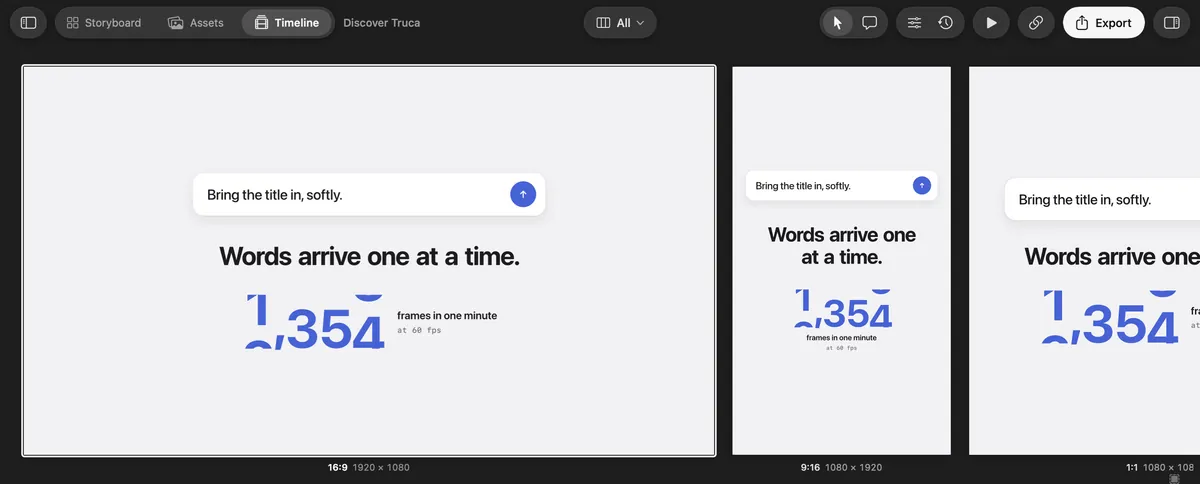
Unlike Hera, where 16:9, 9:16, 1:1 or 4:5 are outputs you request from its service, a Kinomo scene holds all its versions. Switch to All formats and they play together side by side, each at its own resolution. Change them all at once, or one with This format only.
Your agent, on your open project
Claude Code, Codex, Cursor, Gemini CLI or VS Code connect to the Kinomo app on your Mac over MCP: 52 tools that work on the project you have open, not on an online service. You watch every change land, and an invalid change is refused before it reaches your file.
Scenes you edit by hand, then a real cut
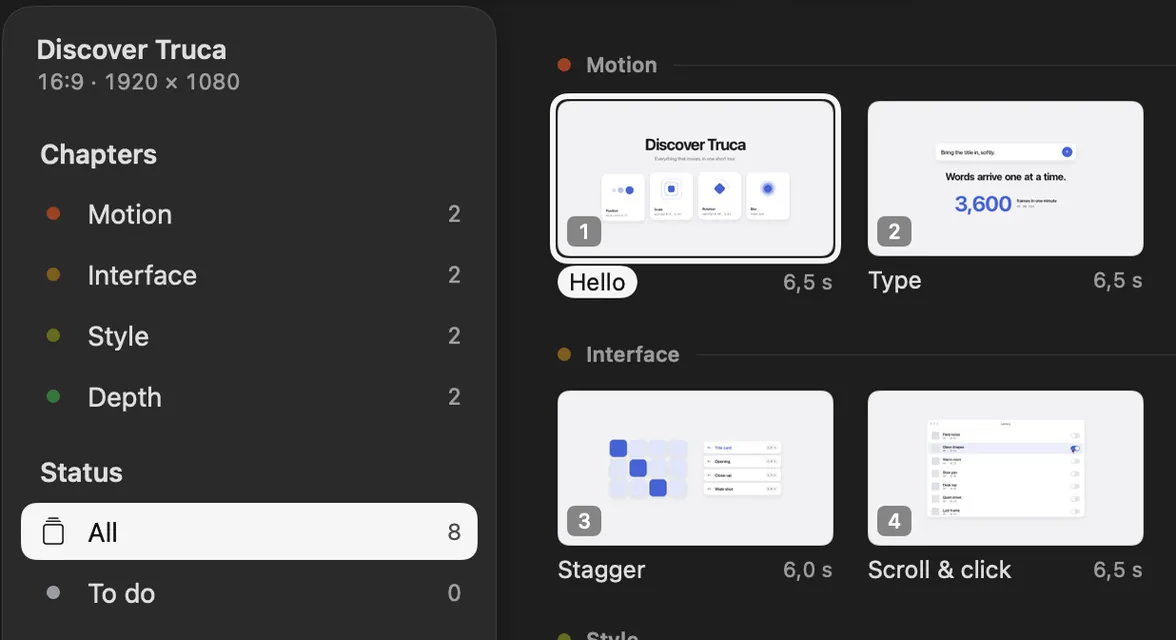
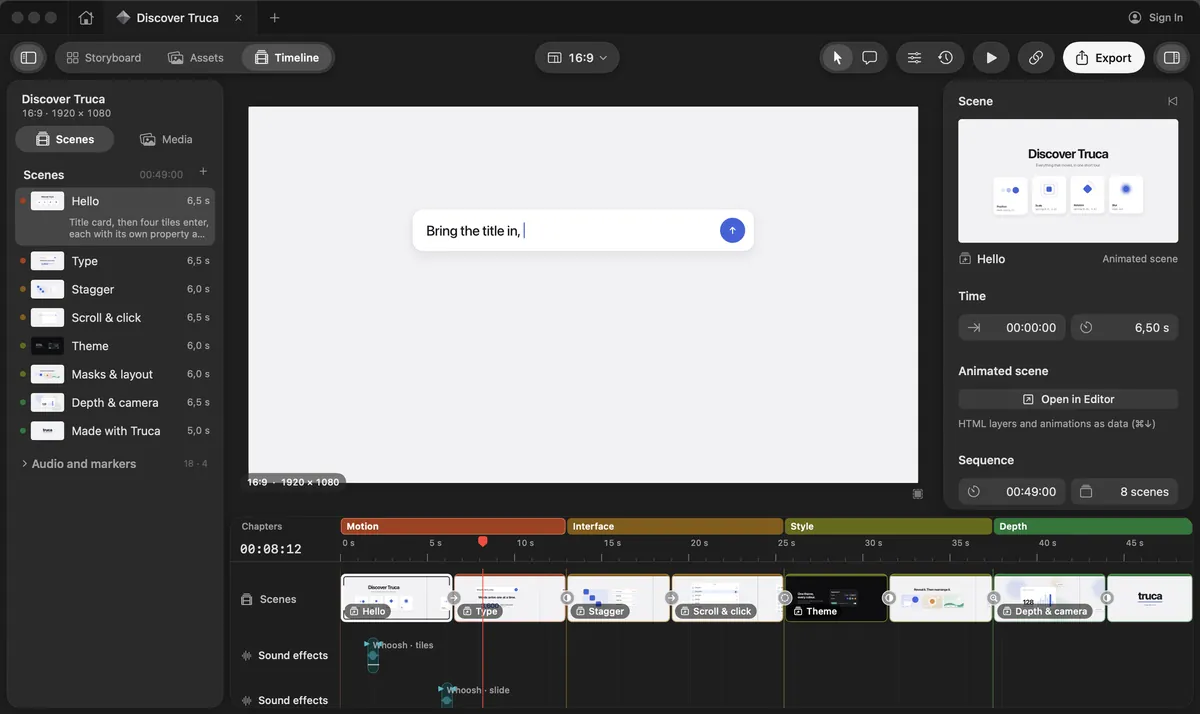
Every layer, text and timing stays editable in the scene editor. Plan the animation in the Storyboard, then cut the scenes on a timeline with chapters, music and sound effects.
Review links that reach your agent
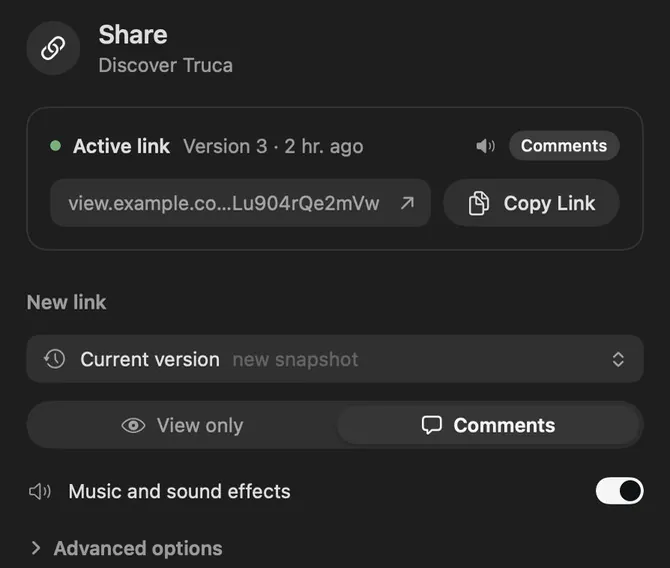
Share a private link, with an optional password and expiry: the animation plays in the browser. Clients pin comments on the frame, the comments land in the project, and your agent can read them and reply.
Kinomo and Hera, side by side
Where Kinomo stands out
Kinomo and Hera compared
Criterion
Kinomo
Hera
Formats while you edit
Kinomo stands out: Every format of a scene side by side (16:9, 9:16, 1:1, 4:5…), each at its own resolution, playing together on one timeline; edit them all at once or one at a time
Hera16:9, 9:16, 1:1 or 4:5, up to 10 outputs per job through its API; its public pages show no side-by-side editing of several formats
Platform
Native Mac app, macOS 14 or later, Apple silicon
HeraWeb app; no desktop app mentioned on its site
Where the agent works
Kinomo stands out: The agent you already use connects to the app on your Mac and works on the project you have open
HeraHera’s own AI agents, several at once, on its online canvas; its API and remote MCP server send jobs to Hera
AI agents
MCP server with 52 tools, connected from the app to Claude Code, Claude, Codex, Cursor, Gemini CLI or VS Code
HeraBuilt-in agents; remote MCP server for Claude Desktop, Claude Code, Codex, Cursor and VS Code, with tools to create a video, check a job and upload a file
Editing by hand
Kinomo stands out: Storyboard, scene editor and a timeline with chapters, music and sound effects
HeraEditable layers and type settings on the canvas; Styleframes and Storyboard views; no timeline, music or chapters described
Client review
Kinomo stands out: Private link that plays in the browser; optional password and expiry; comments come back to the app and to your agent
HeraNo review links or client comments described on its public pages
Export
H.264, HEVC, ProRes 422 and 4444, up to 4K, rendered on your Mac
HeraMP4, ProRes, WebM or GIF, 360p to 4K, 24 to 60 fps, 1 to 120 seconds, returned as download links by its service
Price
Free during the beta
HeraNot published: the site offers to get started for free, with no plans or prices shown
When Hera is the better fit
We’d rather you pick the right tool. Hera makes sense if one of these matters most to you.
You are not on a Mac. Hera works in a web app; Kinomo needs macOS 14 or later on Apple silicon.
You don’t use a coding agent. Hera’s agents are built in: describe what you want, with nothing to connect.
You want images and design too. Hera generates images, designs and animations on one canvas.
You want many drafts to compare. Several agents draft at once, so you can compare the results and keep the one you like.
Want your agent on your own project? Try Kinomo.
Download the beta, connect the agent you already use and ask it for a first storyboard of your next animation.
Yes, on a Mac. Both have AI agents turn a brief into animated scenes. In Kinomo, the agent you already use works on a project open in the app, and you finish it yourself: scene editor, timeline with music and chapters, review links.
Does Hera publish its prices?
Not as of November 8, 2026: its site offers to get started for free, with no plans or prices shown.
Can I edit what the agent made in Kinomo?
Yes. Every layer, text and timing of a Kinomo scene stays editable in the app, and you can retime any animation by hand.
Hera is a trademark of Hera Video, Inc. This page compares public information and is not endorsed by Hera. Spotted something out of date? Tell us and we’ll fix it.