HyperFrames is for developers who want an open-source HTML-to-video framework they can script and run anywhere. Kinomo is for Mac users who want their agent to build the animation while they direct it on a storyboard and a timeline, see every format side by side, then share it for client comments.
Facts about HyperFrames last checked on November 8, 2026 · Sources
Why choose Kinomo over HyperFrames
Same starting point, HTML scenes built by an agent. Kinomo wraps it in a video editor you direct, from the first storyboard to the client’s last comment.
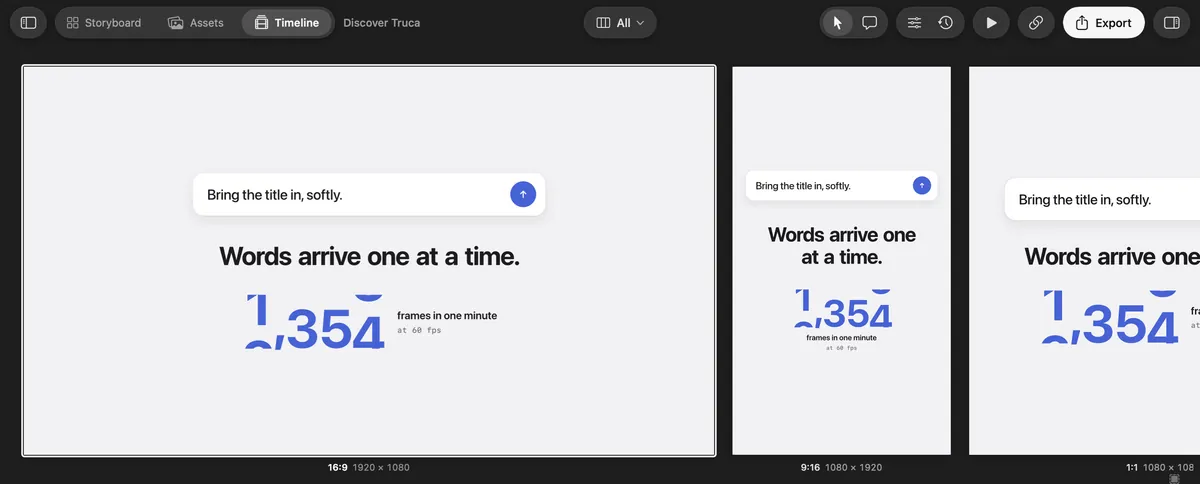
Every format, side by side, while you edit
Unlike HyperFrames, where a composition has one width and height, a Kinomo scene holds its 16:9, 9:16, 4:5 and 1:1 versions. Switch to All formats and they sit next to each other, each at its own resolution, playing together as you edit. Change them all at once, or one with This format only.
Watch your agent build, live
Kinomo’s MCP server gives Claude Code, Codex, Cursor, Gemini CLI or VS Code 52 tools that work on the project open in the app, on your Mac, not on an online service. Every change shows up in the app as it happens, and the engine checks it first: an invalid change is refused and your file stays intact.
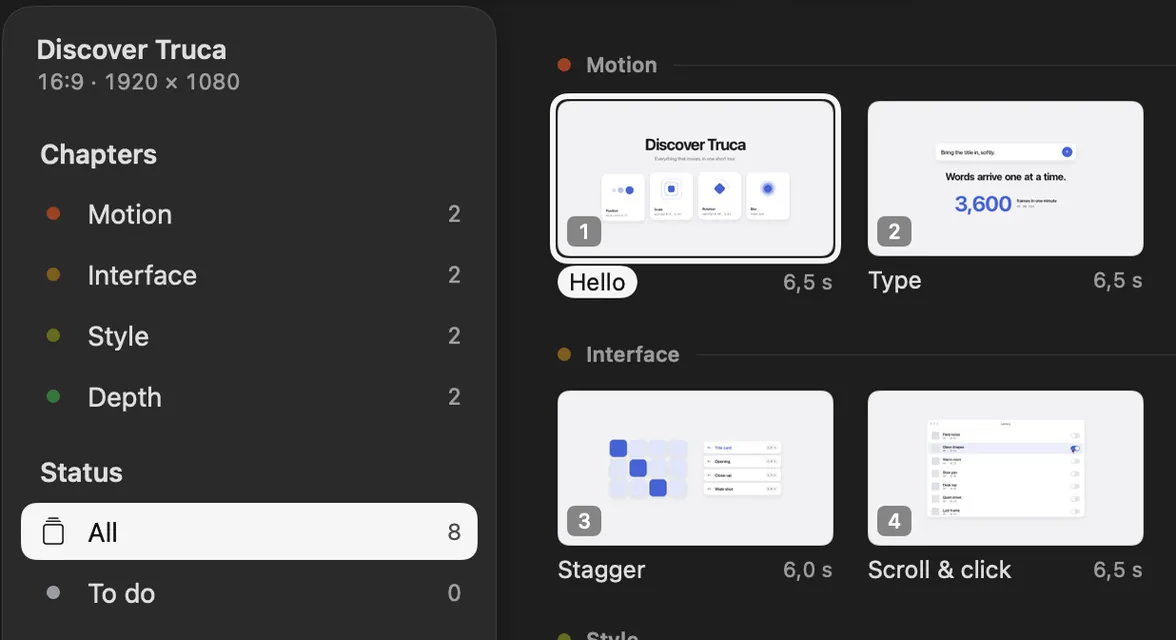
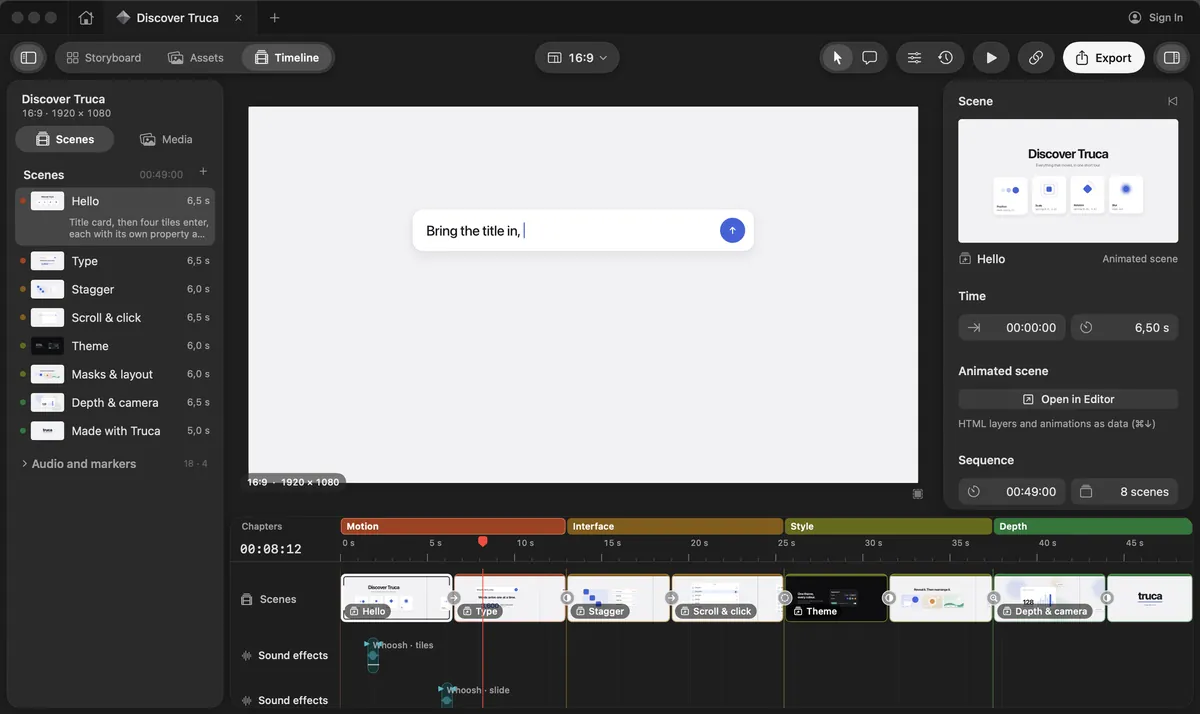
A storyboard, then a real timeline
Plan your scenes in the Storyboard, then cut them on a timeline with chapters, music and sound effects. Animations are data, not scripts, so you can fine-tune any timing by hand in the scene editor.
Comments your agent can act on
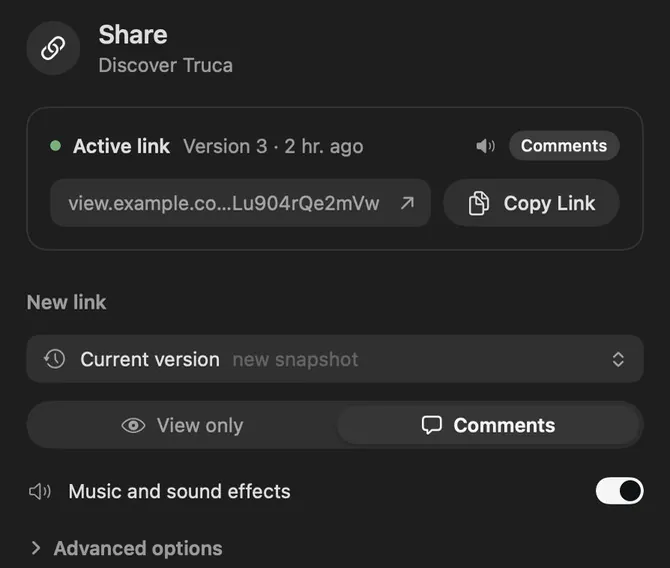
Share a private link without exporting first: the video plays in the browser. Clients pin comments on the frame, they land in the app, and your agent can read them, see the frame and reply.
Kinomo and HyperFrames, side by side
Where Kinomo stands out
Kinomo and HyperFrames compared
Criterion
Kinomo
HyperFrames
Formats while you edit
Kinomo stands out: Every format of a scene side by side (16:9, 9:16, 1:1, 4:5…), each at its own resolution, playing together on one timeline; edit them all at once or one at a time
HyperFramesA composition has one width and height; the documentation describes no side-by-side view of several formats
Platform
Native Mac app, macOS 14 or later, Apple silicon
HyperFramesOpen-source framework and CLI (Node.js 22+, FFmpeg); Studio app for Mac, Windows and Linux
How scenes are made
Kinomo stands out: Your agent builds HTML and CSS scenes through MCP tools. Animations are data played by the engine: no animation script to write or debug
HyperFramesYour agent writes HTML, CSS and JavaScript compositions, timed with data attributes and a paused animation timeline (GSAP, CSS, Lottie, Three.js…)
AI agents
MCP server with 52 tools, connected from the app to Claude Code, Claude, Codex, Cursor, Gemini CLI or VS Code; the agent works on the project open on your Mac
HyperFramesAgent skills for Claude Code, Codex, Cursor, Gemini CLI and others; hosted MCP connector for Claude, ChatGPT and Grok, in beta, that renders on HeyGen’s servers
Editing by hand
Kinomo stands out: Storyboard, scene editor and a timeline with chapters, music and sound effects
HyperFramesStudio: chat, preview and editor in one window; edit by typing, pointing, drawing or commenting
Client review
Kinomo stands out: Private link that plays the video in the browser, no export needed; optional password and expiry; comments come back to the app and to your agent
HyperFramesReview page made from the latest MP4 export, with comment or view-only access; sharing needs a HeyGen account
Export
H.264, HEVC, ProRes 422 and 4444, up to 4K, rendered on your Mac
HyperFramesMP4, MOV, WebM, GIF or PNG sequence, up to 4K; on your computer, Docker, AWS Lambda, Cloud Run or HeyGen’s cloud
Price
Free during the beta
HyperFramesFree and open source (Apache 2.0). Studio app: Free plan, Pro plan at $25 a month
When HyperFrames is the better fit
We’d rather you pick the right tool. HyperFrames makes sense if one of these matters most to you.
You work on Windows or Linux. Kinomo is Mac only; the HyperFrames CLI and Studio run on all three.
You want open source to build on. HyperFrames is Apache 2.0, with a CLI you can script and render on your own servers or AWS Lambda.
You need HeyGen’s generative media. AI voices, avatars and video clips come with a HeyGen account.
You only use a chat app. Its hosted connector makes videos from Claude, ChatGPT or Grok with nothing to install.
On a Mac, with an agent you already use? Try Kinomo.
Connect Claude Code, Codex or Cursor from the app, open the sample project and ask your agent for a first storyboard.
Yes, on a Mac. Both turn HTML scenes made by an AI agent into video. Kinomo adds a storyboard, a timeline with music and chapters, and review links whose comments reach your agent.
Can I keep using Claude Code, Codex or Cursor?
Yes. Kinomo connects to them over MCP from its Connect an agent sheet, as well as to Claude, Gemini CLI and VS Code.
Does Kinomo run on Windows or Linux?
No. Kinomo is a native Mac app and needs macOS 14 or later on Apple silicon.
HyperFrames and HeyGen are trademarks of their owners. This page compares public information and is not endorsed by them. Spotted something out of date? Tell us and we’ll fix it.