Beta

Comparison

Kinomo vs After Effects

After Effects is for motion designers and visual effects artists who animate every layer by hand. Kinomo is for people who would rather describe the motion to an AI agent, watch it build HTML scenes on their Mac, and keep the final say on every frame.

Download for Mac

0.6.0-beta.7 · 14 MB · macOS 14 or later · Apple silicon

Facts about After Effects last checked on November 8, 2026 · Sources

Why choose Kinomo over After Effects

After Effects gives you total control and asks for hours of keyframing. Kinomo hands the first draft, and the tedious revisions, to your agent.

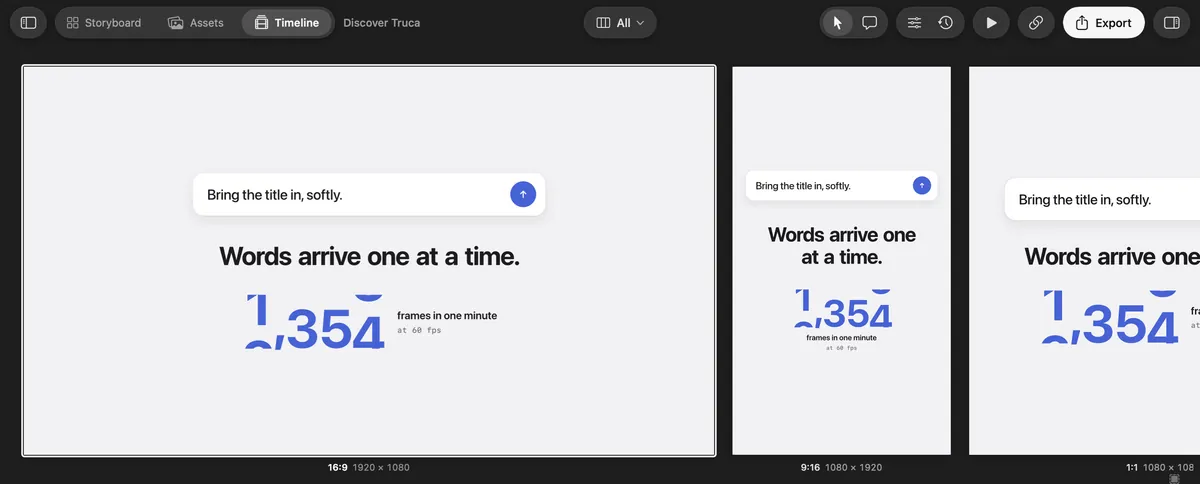
Kinomo’s All formats view: the 16:9, 9:16 and 1:1 versions of a scene side by side

Every aspect ratio on one screen, edited together

In After Effects, each format is a separate composition. In Kinomo, a scene’s 16:9, 9:16, 1:1 and 4:5 versions live together: the All formats view lines them up at their real resolutions, plays them in sync and lets one edit update them all, or just one.

Kinomo’s Connect an agent screen: Claude Code is connected

Describe it, your agent animates it

Ask Claude Code, Codex or Cursor for a title sequence or a product walkthrough. It builds the scenes in Kinomo over MCP, layer by layer, while you watch each change appear.

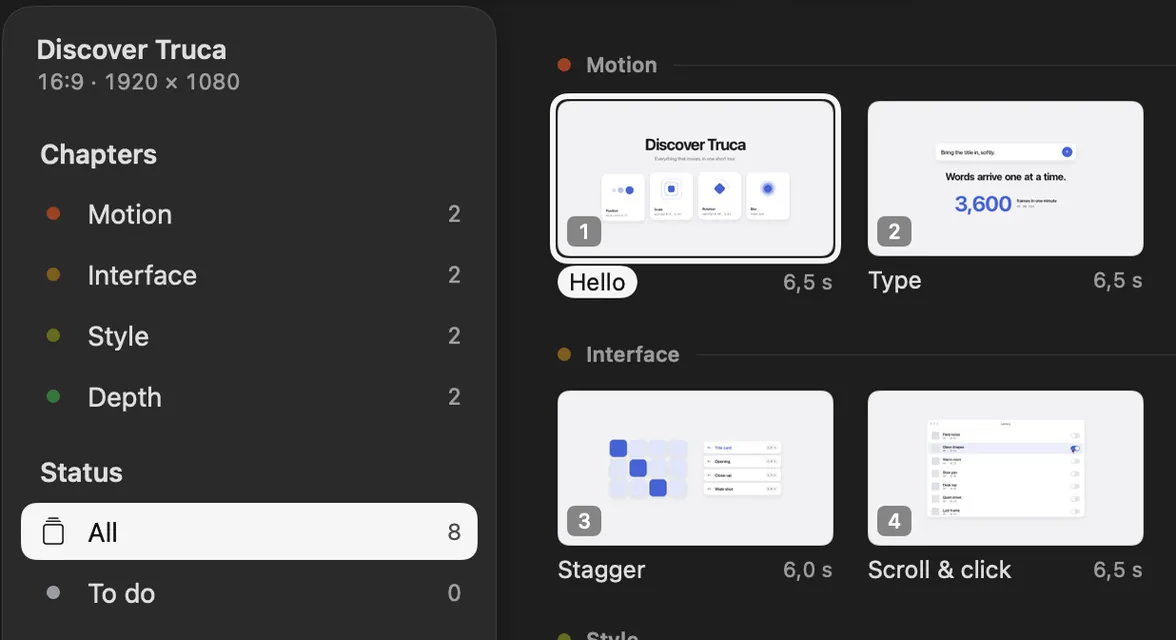
The Kinomo Storyboard, with scenes grouped by chapter

Scenes made of HTML and CSS

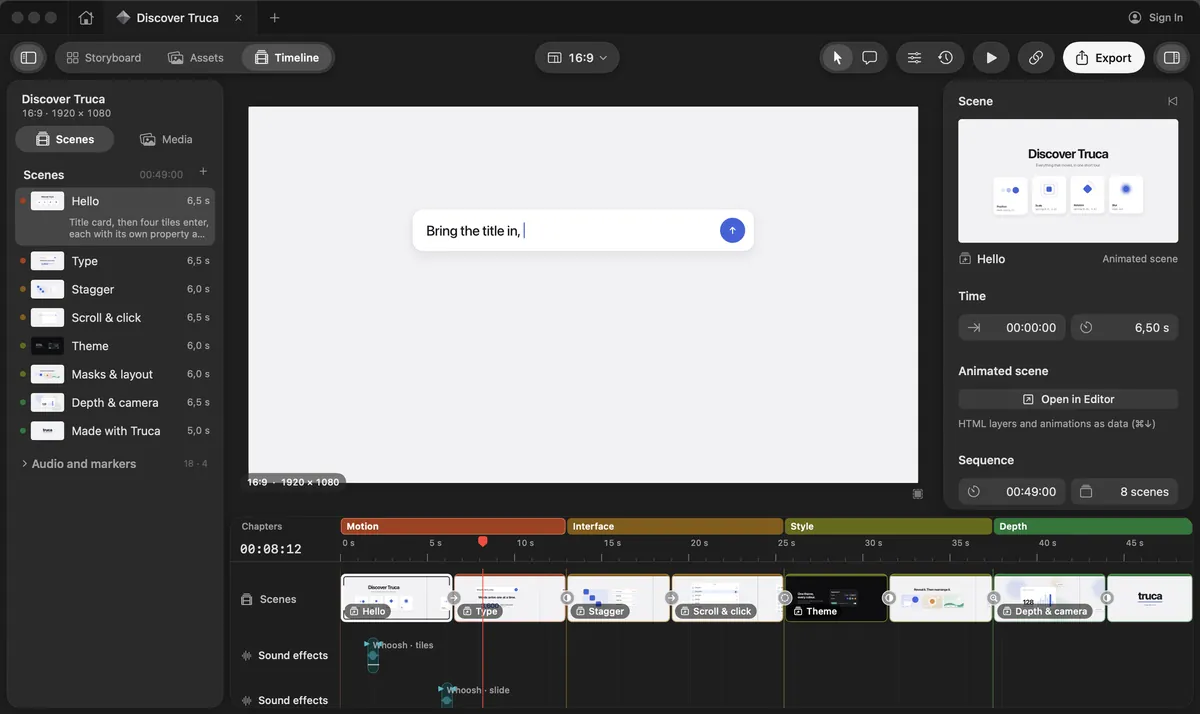
Type, layouts and brand styles are web code, so they stay sharp at any size and are easy to change. Plan the video in the Storyboard, then cut it on a timeline with chapters, music and sound effects.

Review links included, free during the beta

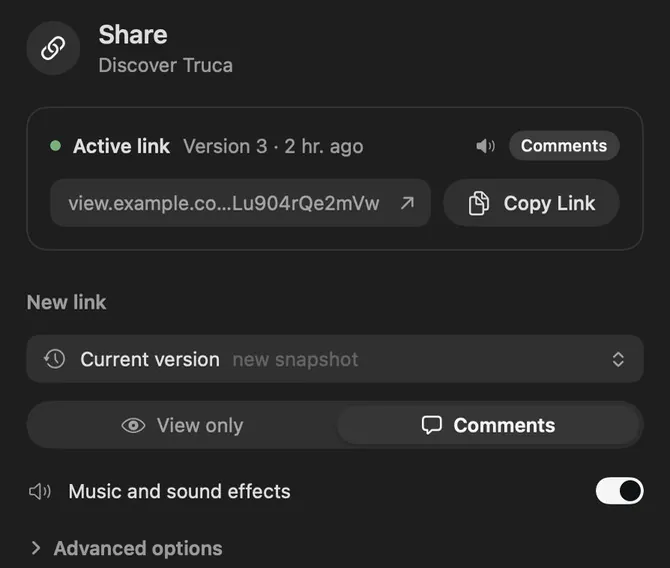
Share a private link, collect comments pinned on the frame, and let your agent apply them. No subscription during the beta.

Kinomo and After Effects, side by side

Where Kinomo stands out

Kinomo and After Effects compared
CriterionKinomoAfter Effects
Formats while you editKinomo stands out: Every format of a scene side by side (16:9, 9:16, 1:1, 4:5…), each at its own resolution, playing together on one timeline; edit them all at once or one at a timeEach format is a separate composition; several Composition viewers can be opened next to each other
PlatformNative Mac app, macOS 14 or later, Apple siliconDesktop app for macOS and Windows
How you animateKinomo stands out: Your AI agent builds scenes and animations over MCP; you adjust timings by hand in the scene editorBy hand, layer by layer, on a timeline
AIKinomo stands out: Works with the agent you choose: Claude Code, Claude, Codex, Cursor, Gemini CLI or VS CodeBuilt-in AI tools such as AI Object Matte, plus generative credits for Firefly features
Client reviewPrivate links with comments, password and expiry, built into the appFrame.io for Creative Cloud included with Creative Cloud Pro
Visual effectsNot a visual effects tool: no compositing or tracking of filmed footageMotion design and visual effects, including compositing
PriceKinomo stands out: Free during the betaUS$22.99 a month for the app alone, or US$69.99 a month for Creative Cloud Pro (annual plan, billed monthly)

When After Effects is the better fit

After Effects is the reference for a reason. Stay with it if one of these describes your work.

  • You work on filmed footage. Compositing, mattes and visual effects on live action are what After Effects is built for.

  • You want to set every keyframe yourself. Its timeline gives a motion designer frame-by-frame control over every property.

  • Your team lives in Creative Cloud. Projects move between Adobe apps, and Creative Cloud Pro includes Frame.io for review.

  • You work on Windows. After Effects runs on macOS and Windows; Kinomo is Mac only.

Rather direct than keyframe? Try Kinomo.

Download the beta, connect your agent and ask it for the first scene of your next video.

Download for Mac

0.6.0-beta.7 · 14 MB · macOS 14 or later · Apple silicon

The Kinomo timeline, with the sample project Discover Kinomo

Questions

Is Kinomo an After Effects alternative?

For motion graphics such as product videos, explainers and titles, yes: your AI agent builds the animated scenes and you refine them. For visual effects on filmed footage, After Effects remains the tool.

Do I need to know how to animate?

No. Describe what you want to your agent; it builds the scenes and animations, and you adjust timings in the scene editor if you wish.

Can I import After Effects projects into Kinomo?

No. Kinomo scenes are HTML and CSS built in Kinomo; there is no After Effects importer.

How much does Kinomo cost?

Kinomo is free during the beta.

Sources

Last checked on November 8, 2026

Adobe, After Effects, Creative Cloud and Frame.io are trademarks of Adobe. This page compares public information and is not endorsed by Adobe. Spotted something out of date? Tell us and we’ll fix it.