Meet Kinomo: motion design you direct with AI agents
Kinomo is a native Mac app where your AI agent builds the animation, layer by layer, while you watch every change, take over by hand and keep the last word.

Zouhair Majzoub · Founder
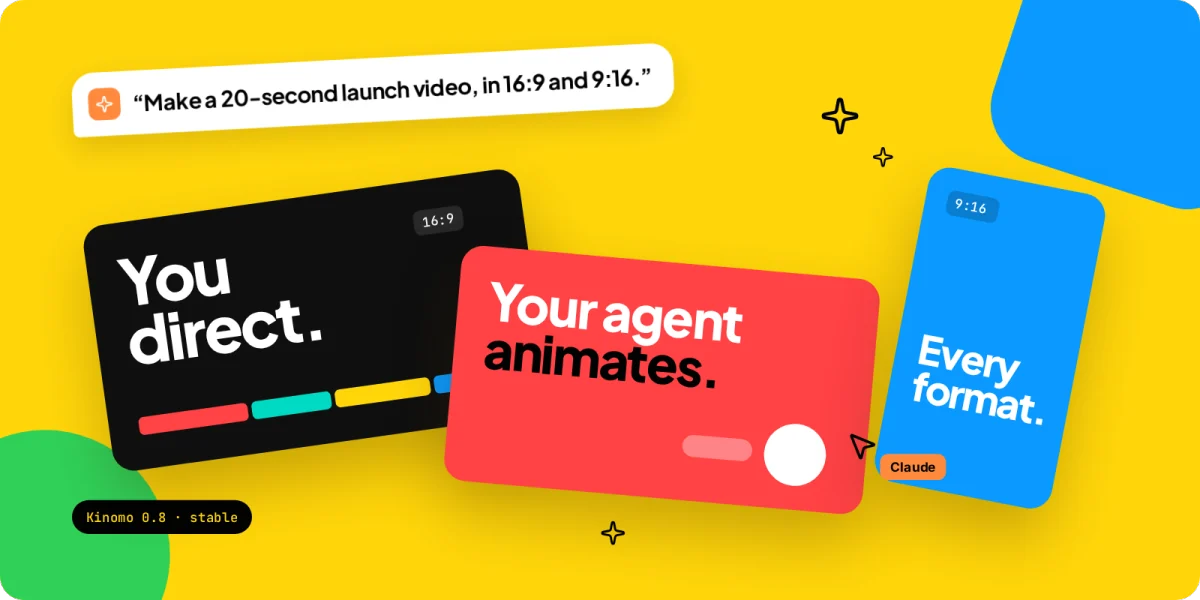
Kinomo is a native Mac app for motion design where your AI agent does the animating and you do the directing. Claude Code, or any other agent that speaks MCP, builds each scene layer by layer while you watch the change land in the editor. You review scene by scene, fix anything by hand, and export every format of the same animation from one timeline.
This is the first post in our News category, so it starts at the beginning: what Kinomo is, why we built it this way, how it works and who it's for. Version 0.8.0 is out today as a stable release.
What Kinomo is, in one minute
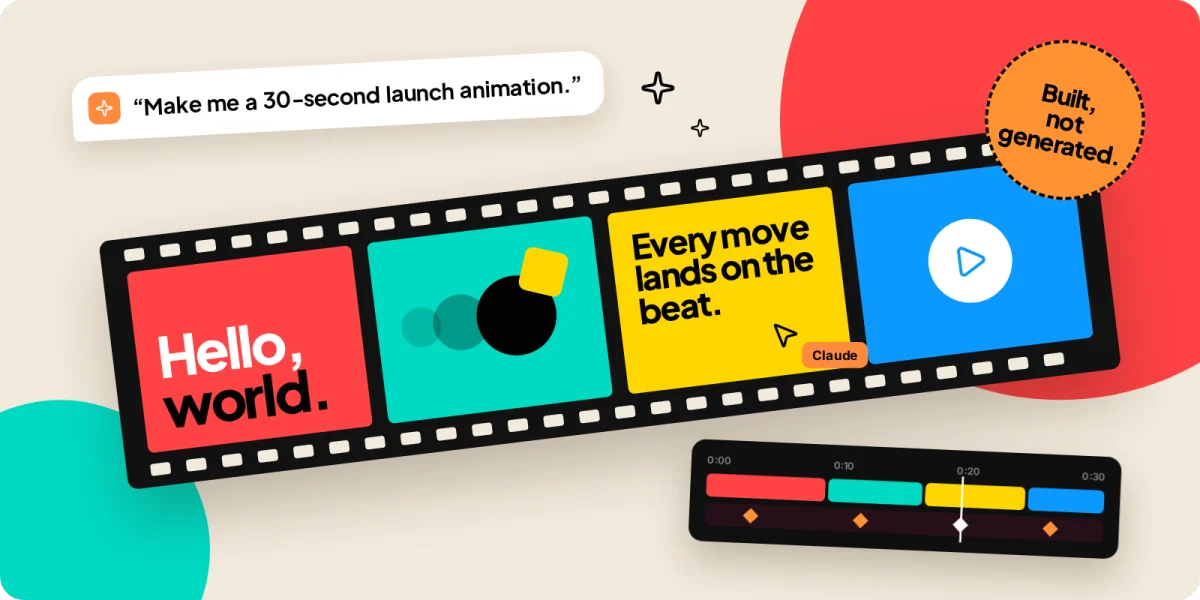
Kinomo is an animation studio built for two: you and your agent. You describe what you want in the chat you already use, such as "Make a 20-second launch video for our pricing page, in 16:9 and 9:16, on the beat of track.mp3." Your agent proposes a direction, then builds the scenes in Kinomo through 63 MCP tools: it creates layers, writes the motion, checks the result and sends each scene to you for review.
You're never looking at a black box. The project is open in Kinomo while the agent works, and every change appears in the editor as it happens. At any moment you can drag a block on the timeline, change a word or move a layer, then hand the project back.
It's a real Mac app, written in Swift, not a web page in a wrapper. Version 0.8.0 is a 17 MB download that opens in under a second and is signed and notarized by Apple, so it installs like any other app.
Why build animations instead of generating them
Video generators are impressive, but they hand you pixels. To change one word on screen, you generate the clip again and hope the rest stays the same. Another aspect ratio means generating again, cropping or extending the frame.
Kinomo takes the other route: your agent builds the animation instead of generating it. Text is real text, your logo is your own file, and every element is a layer you can open and edit. Change a word and only that word changes. We explain the difference in more depth in AI motion graphics you can still edit, and our guide Can Claude make videos? compares every route an agent can take to a finished video.
The two approaches work together. When you need footage that can't be built from layers, a generated or filmed clip can sit between your Kinomo scenes as a video scene.
How it works: layers in HTML, motion as data
Every Kinomo scene is made of HTML and CSS layers with stable names. That choice matters for agents: they already read and write HTML and CSS fluently, and the browser engine behind the export renders the same effects a browser does.
Motion isn't code. An animation is a list of blocks, and each block says which layer moves, which properties change and from which value to which, when it starts, how long it lasts and how it eases. A start can be anchored to the end of another block or to a marker on the music. An ease can be a curve or a named spring, soft or firm, that keeps its feel whatever the duration.
Because motion is data, Kinomo's engine computes every frame from time alone: no scripts, no timers, no CSS animations running on their own. The same project gives the same frames in the preview, in the agent's checks, in the export and in the web viewer. And because the agent writes data rather than a program, you can retime its work by dragging a block, exactly as you would with your own.
You direct, your agent animates
Kinomo ships with a skill, a set of instructions your agent reads before it starts, that teaches it how to direct an animation rather than fill slides. Following it, the agent agrees on a direction with you in the chat (the one thing to remember, palette, type, the signature move, the scene plan) and waits for your answer before it builds anything.
Then the work happens where you can see it:
- Live in the editor. A banner shows which agent is working and on which scene, and you can follow it or stop it.
- Scene by scene. Each scene carries a status the agent and you both see: in progress while the agent holds it, to review when it hands it back, approved when you accept it.
- One undo for a whole step. When your agent applies a batch of changes, a single undo takes the whole batch back.
- Checks before you watch. Kinomo checks every scene and the whole animation in every format: text too small to read on a phone, words gone before anyone can read them, a full-frame flash, a silent soundtrack. Findings are sorted into Blocking, To fix and Advice, and your agent sees the same list and fixes it.
Every format on one timeline
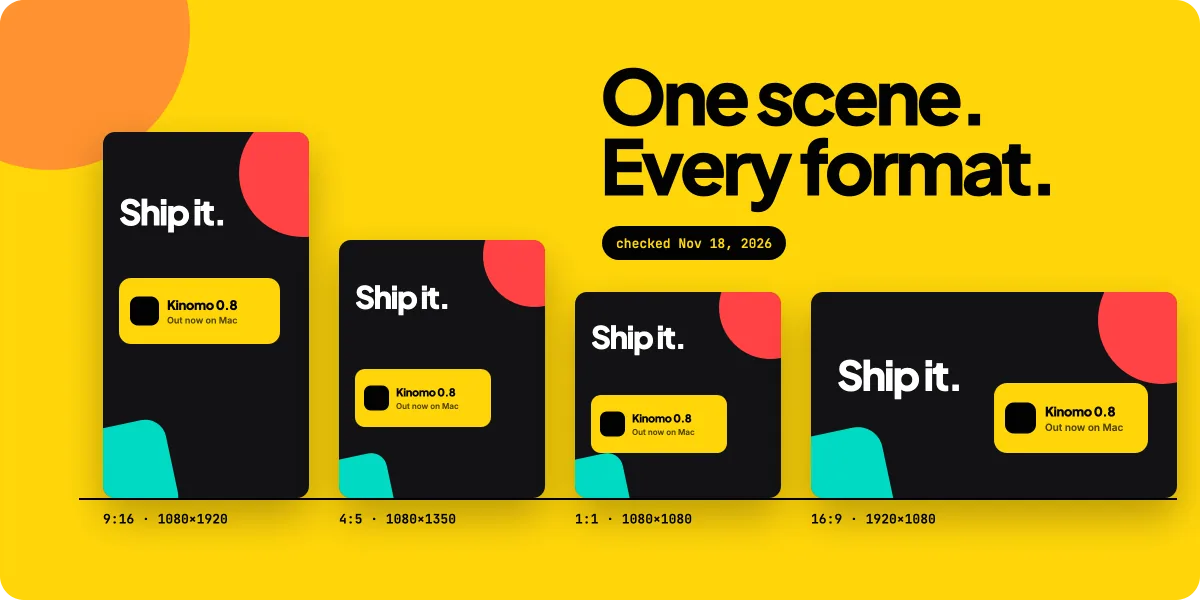
Most animations now need a landscape version for YouTube and websites and a vertical one for Reels, TikTok and Shorts, often with a square or 4:5 cut for feeds. Cropping a 16:9 frame down to 9:16 keeps only about a third of its width, so titles break and faces leave the frame.
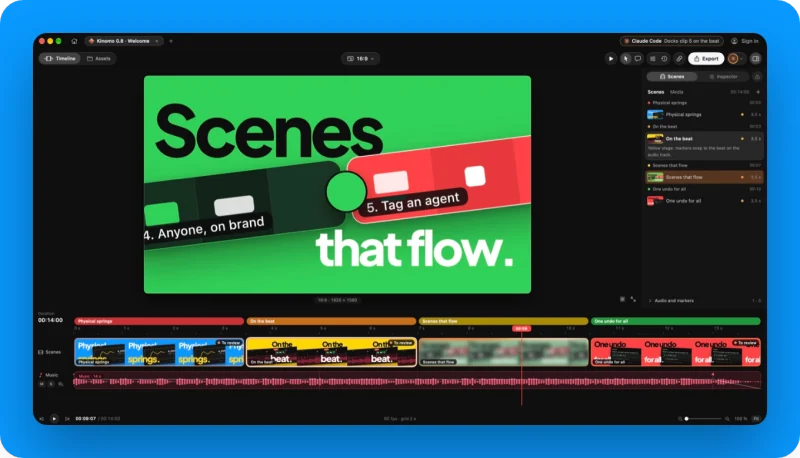
In Kinomo, a scene holds its 16:9, 9:16, 1:1 and 4:5 versions together on one shared timeline, and 3:2 is there for X and presentations. The beats are the same in every format; the layout, framing and camera can differ. Your agent designs every scene for every format from its first layout and compares the formats side by side, and a one-click reframing finds the subject of a photo or video so it stays in frame in each shape. For the numbers behind each placement, see our social media video sizes table.
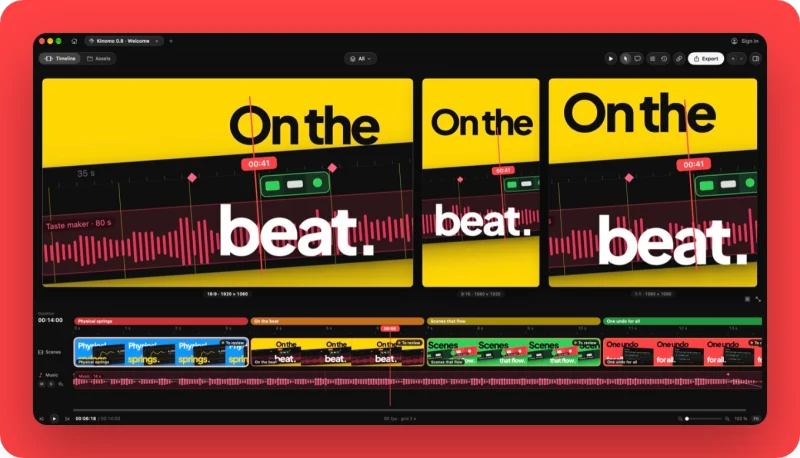
Music is part of the timeline too. Kinomo analyses your soundtrack on your Mac, finds the tempo and the beats, even when the tempo changes, and draws a bar grid so cuts and moves can land on the beat.
Review, share and export
When the animation is ready for other eyes, you share a private link. Your team and your clients open it in a browser on a laptop or a phone, with no account and nothing to install. They switch formats, click on the frame to pin a note at the exact moment, and choose whether the note applies to one format or all of them. Links can have a password and an expiry date, and you can share one version while you keep working on the next. Hand a comment to your agent and it makes the change and answers in the thread; you resolve it.
Export runs on your Mac, with no cloud queue: H.264, HEVC or ProRes, from 720p to 4K, at 24, 25, 30, 50 or 60 fps, every format in one go. Each frame is drawn by a browser engine, painted on the GPU of your M chip and encoded by its media engine. In our test on a MacBook Pro M1 Pro, an 80-second animation with its soundtrack rendered in 27 seconds in 1080p at 60 fps.
What's new in 0.8
Version 0.8.0, released on November 18, 2026, is all about motion that feels real:
- Real springs. Choose whether a move is soft or firm, and it keeps that feel whatever its duration.
- Shapes that morph. One shape becomes another, such as a logo into an icon or a button into a check mark.
- Real transitions. A zoom into an element, a slide, or an element that stays in place while the scene changes around it. Your agent writes both sides in one go.
- A real edit. Your agent can split a scene, merge several into one without a visible jump, and carry an element from one scene to the next.
- Tempo grid and markers. Your agent sets the tempo of your music in one step, and snapping follows the beat.
- Ready-made moves. Menus that open from their button, counting numbers, rhythmic card cascades, highlighted code and charts that build step by step.
The full list is in the changelog.
Who Kinomo is for, and who it isn't
Kinomo is built for product demos, launch videos, explainers, changelog videos and social ads, especially when the same animation has to ship in several formats and someone will ask for changes. If you're planning a launch, our walkthrough of a product launch video with Claude takes one from brief to export.
It isn't the right tool for everyone:
- It's Mac only. Kinomo needs macOS 15 or later on Apple silicon.
- It doesn't generate footage. People, places and real-world shots come from a camera or a generator, then sit in your edit as video scenes.
- It needs an agent for the heavy lifting. You can edit by hand, but Kinomo is designed around an agent that builds the scenes. If you want a classic keyframe tool with no agent, compare the options in our guides to motion graphics software for Mac and After Effects alternatives.
- The brief still matters. An agent with a vague brief makes a vague animation. The audience, the material and the one thing to remember do more for the result than any tool.
Get started in five minutes
- Download Kinomo. Download it for Mac, drag it to Applications and open it.
- Open Discover Kinomo. The sample project opens on first launch, so you can see a finished animation and play with it.
- Connect your agent. Choose Help › Connect an Agent… Kinomo finds the agents installed on your Mac; click the one you use, such as Claude Code, then Install the skill.
- Brief it. Paste the prompt the sheet gives you, or write your own: who will watch, the one thing to remember, the formats, the length and the material you have.
- Watch, review, export. Approve the direction, follow the scenes as they arrive, mark them approved, then export or send a link.
Frequently asked questions
What is Kinomo?
Kinomo is a native Mac app for motion design. Your AI agent, such as Claude Code, builds the animation over MCP as HTML and CSS layers with motion written as data, while you watch every change in the editor, take over by hand and export the video on your Mac.
Is Kinomo an AI video generator?
No. Kinomo has no generative model. Your agent builds scenes out of real layers, so text stays exact, your logo stays your own file and every layer stays editable. A generated clip can still sit between your scenes as footage.
Which AI agents work with Kinomo?
Any agent that supports MCP. The Connect an Agent sheet sets up Claude Code, Claude, Codex, Cursor, Gemini CLI and VS Code in one click, and gives a generic command for other MCP clients. Once you turn on remote access, an agent can also connect at kinomo.app/mcp.
Which Macs can run Kinomo?
Any Mac with Apple silicon running macOS 15 or later. Version 0.8.0 is a 17 MB download, signed and notarized by Apple.
How much does Kinomo cost?
Free plan. Paid plans from $50/year.
Do I need to know code to use Kinomo?
No. You brief your agent in plain words and adjust the result in the editor, by dragging animation blocks on the timeline or changing a word in a layer. The scenes are HTML and CSS under the hood, so a developer can read every line if they want to.
Your agent animates. You keep the last word.
Kinomo exists because agents became good at building things, and motion design deserved the same: an animation you can watch being made, open, fix and ship in every format. The agent handles the layers, the timing and the checks; you handle the taste.
Free plan. Paid plans from $50/year. Download Kinomo, connect your agent and ask for your first scene.
Sources · checked on Nov 18, 2026
- Kinomo home page, tech specs and FAQ · kinomo.app
- Kinomo, Download for Mac · kinomo.app/download
- Kinomo, AI motion graphics you can still edit · kinomo.app/ai-motion-graphics
- Kinomo changelog, version 0.8.0 (Nov 18, 2026) · kinomo.app/changelog
- Claude Code docs, Connect Claude Code to tools via MCP · code.claude.com/docs/en/mcp
- Model Context Protocol, introduction · modelcontextprotocol.io/docs/getting-started/intro
- Kinomo documentation: MCP tools, Connect an agent, document format and the Kinomo skill (Kinomo 0.8.0, Nov 18, 2026)
Claude, Claude Code, Codex, Cursor, Gemini CLI and VS Code are trademarks of their owners. Kinomo is our product; this article describes it as documented in version 0.8.0.