

Up to 4K, rendered on your Mac.
720p to 4K, 24 to 60 fps, H.264, HEVC or ProRes. Every format in one go, on Apple silicon, with no cloud queue.
Kinomo is a native app for Apple silicon. Every frame is rendered on the GPU of your M chip and encoded by its media engine, right on your Mac. No browser tab, no cloud queue.
3×
faster than real time: an 80 s video in 1080p at 60 fps renders in 27 s
< 1 s
Kinomo opens in under a second
120 Hz
timeline zoom and scroll, in step with ProMotion
render time · lower is better
1080p · 60 fps
4K · 60 fps
The same 80 s animation with its soundtrack, rendered to H.264 by each tool on a MacBook Pro M1 Pro. Median of 6 runs. Kinomo uses the Mac’s hardware encoder; the others encode in software.
Export · all on your Mac
1 · Browser engine
Draws the scene, like a browser would
2 · M-chip GPU
Paints every pixel, accelerated
3 · Unified memory
Passes it on in unified memory
4 · Media engine
Encodes H.264, HEVC or ProRes
While you edit, scenes preview live in the web engine built into macOS. The final video is drawn by the engine of a web browser, so the effects that work in a browser work in your export.
Export engine
Every frame of your video is drawn by the engine of a web browser. The CSS, SVG and effects that work in a browser come out as they are.
Graphics · Metal
Each frame is painted on the GPU, then handed to the encoder through the unified memory of Apple silicon.
Media engine
The media engine of your M chip encodes H.264, HEVC and ProRes in hardware, two parts of the video at once.
Native · Made in Swift
Native windows, menus, shortcuts and ⌘Z. No web wrapper, no lag between your click and the change.
On device
Your soundtrack is analysed right on your Mac: Kinomo finds the tempo and the beats, even when the tempo changes, and lays down a bar grid so every cut can land on the beat.
Reframing
One click finds what matters in a video or a picture, so it stays in frame in 16:9, 9:16 or 1:1.
Edit your YouTube, Instagram, TikTok and LinkedIn versions side by side. Each keeps its own layout, so a vertical Reel never looks like a cropped landscape video.
16:9
YouTube, websites
9:16
Reels, TikTok, Shorts
1:1
Instagram, LinkedIn
4:5
Instagram feed
3:2
X, presentations
Your agent creates each scene straight in the timeline and links the scenes with real transitions. You approve each one, then cut with chapters, music and sound effects.
Group scenes into chapters, each with its colour.
Each scene is in progress, to review or approved.
Watch each scene take shape in the timeline while your agent builds it.
Clients click right on the frame to leave a note. It lands on the exact moment of your timeline, and your agent can answer it with the fix.
Every note is pinned where it was made, at the time it was made. No more “around 0:40, the thing on the left”.
A note can apply to the 9:16 only, or to every version of the animation.
Hand a comment to your agent: it makes the change and answers in the thread. You resolve it.
Before you watch, Kinomo checks the whole animation in every format: text too small to read on a phone, words gone before you can read them, a full-frame flash, a silent soundtrack. Your agent sees the same list and fixes it.
Your team and your clients open the animation in their browser, on a laptop or a phone. They watch, switch formats and comment. Nothing to install.
Desktop or phone, with every format of the animation one tap away.
Notes are pinned on the frame and land in your timeline, at the right moment.
Add a password, set an expiry date, share one version and keep working on the next.
Render H.264, HEVC or ProRes videos on your Mac, then send a private link to get feedback on the exact moment.
720p to 4K, 24 to 60 fps, H.264, HEVC or ProRes. Every format in one go, on Apple silicon, with no cloud queue.
Clients watch in their browser and comment. Their notes land back in the app, on the right moment of the timeline.
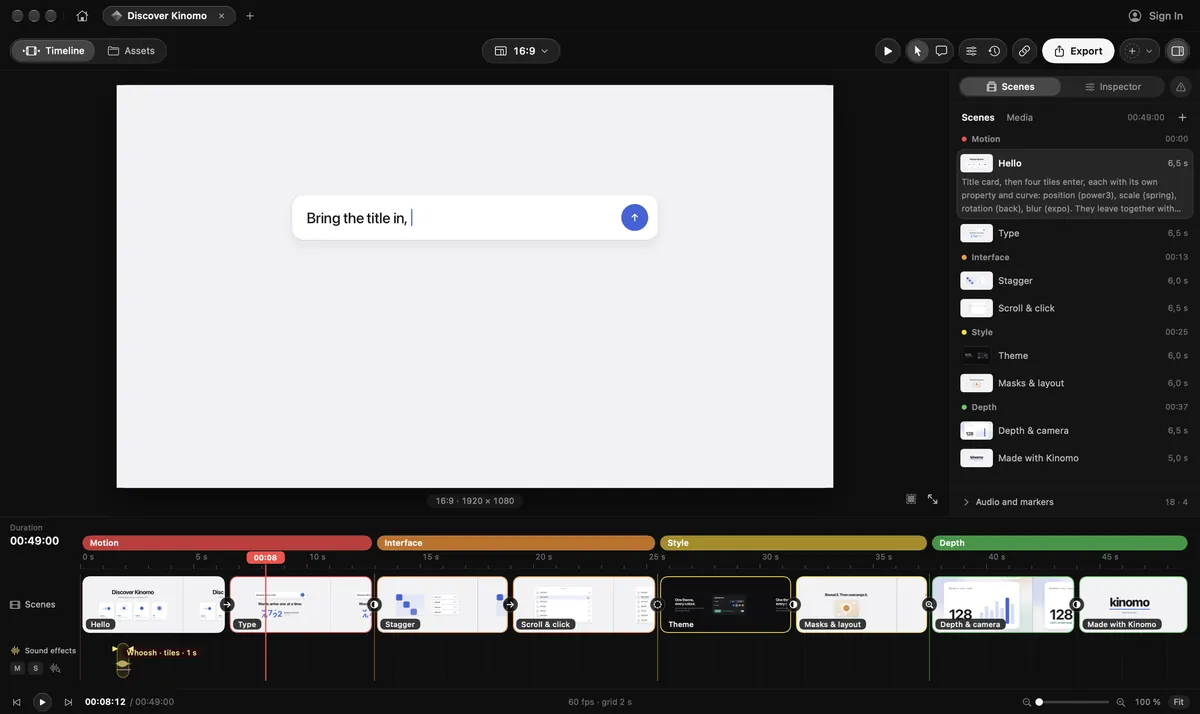
Kinomo is the Mac animation app your AI agent can drive. It writes the scenes and the motion over MCP, every change appears live in the editor, and you take over by hand whenever you want.
Works with
Claude Code
Codex
Cursor
Gemini CLI
VS Code
Everything Kinomo needs fits on one Mac. Your agent writes the scenes, the M chip renders them, and your exported videos stay on your machine.
Animate your interface, clicks and panels to show how your app works.
Reels, TikToks, Shorts and LinkedIn posts, every format from one project.
Announce a launch or a new feature with motion that lands on the beat.
Walk through an idea chapter by chapter, on one continuous canvas.
Turn every release into a short video your users actually watch.
Free plan. Paid plans from $50/year.
Any Mac with Apple silicon running macOS 15 or later.
Any agent that supports MCP, such as Claude Code, Codex, Cursor, Gemini CLI or VS Code. Kinomo finds the agents installed on your Mac and connects them in one click. Once you turn on remote access, an agent can also connect at kinomo.app/mcp.
A slideshow cuts from one slide to the next. In Kinomo the story lives on one continuous canvas: elements persist and move, and the camera travels from chapter to chapter. Scenes flow into each other with real transitions: a zoom into an element, a pan, or an element that stays in place while the scene changes around it.
About 3× faster than real time. In our test, an 80 s animation with its soundtrack rendered in 27 s in 1080p at 60 fps, and in 87.6 s in 4K. On the same video, that is 3.4× faster than HyperFrames and 4× faster than Remotion in 1080p (2.5× and 3.6× in 4K). Measured on a MacBook Pro M1 Pro, median of 6 runs.
No. Export runs on your Mac and the video file is saved there. Your projects themselves are backed up to your Kinomo account so you can find them on another Mac or share them.
kinomo
06 · yours